christian app blocker
Pray to unlock your apps
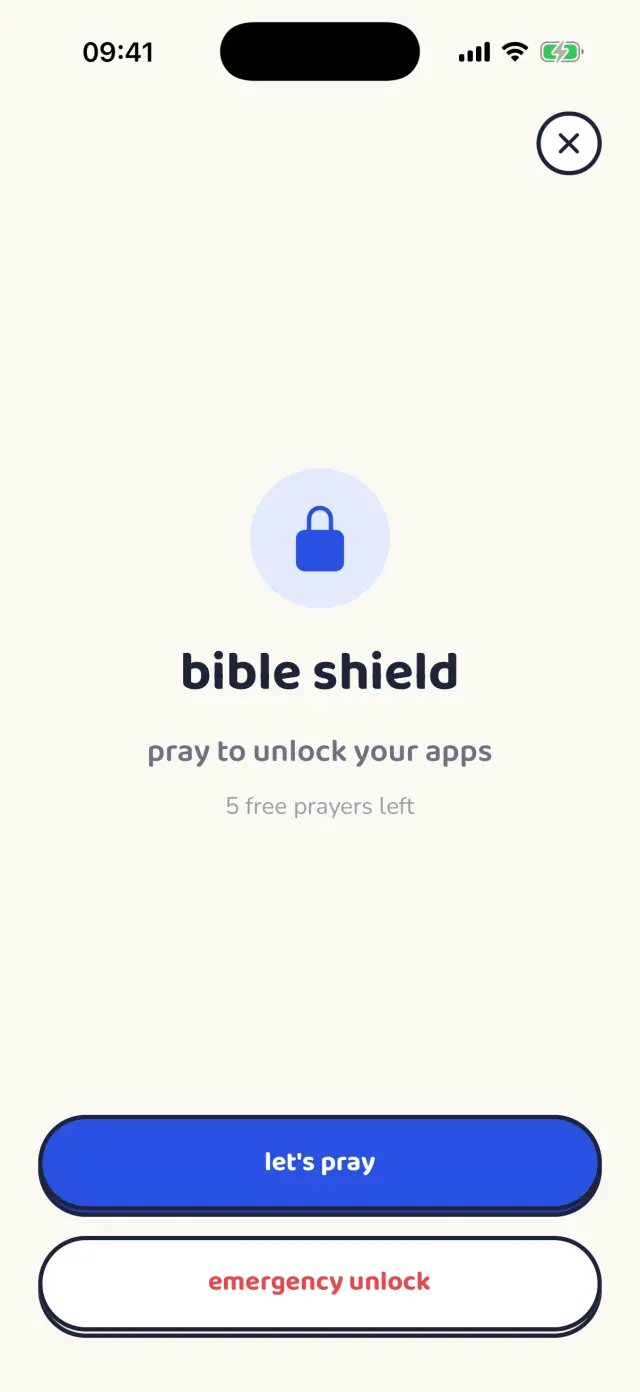
Your phone is the thing standing between you and the life you meant to live with God. Bible Shield puts something in the way — the apps that pull you away close at the times you choose, and open again after a short prayer written for the day you are actually having.
Free to start. Premium unlocks unlimited guided prayers.
How it works
Choose your apps
Instagram, TikTok, X — whatever takes your evenings. Bible Shield uses Apple's own Screen Time controls, so the block holds even when you are the one trying to get around it.
Choose your times
As many windows as you like, every day. Mornings before prayer, evenings after dinner, the hour you meant to sleep. When the window opens, the apps close.
Pray to unlock
A short guided prayer, with scripture, written for what you are carrying that day. Pray it and your apps come back. It is not a timer you can dismiss and it is not a lecture — it is a door with a prayer for a key.
A look inside
The apps close at the time you chose.
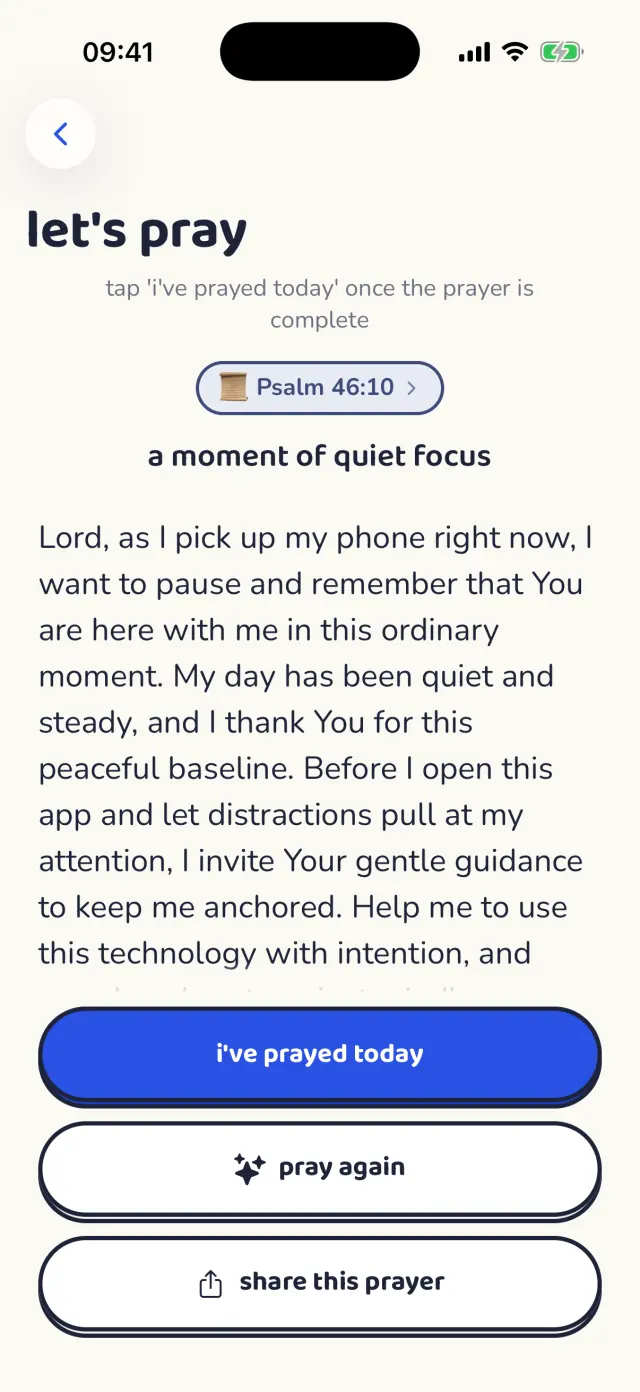
A prayer written for the day you are having.
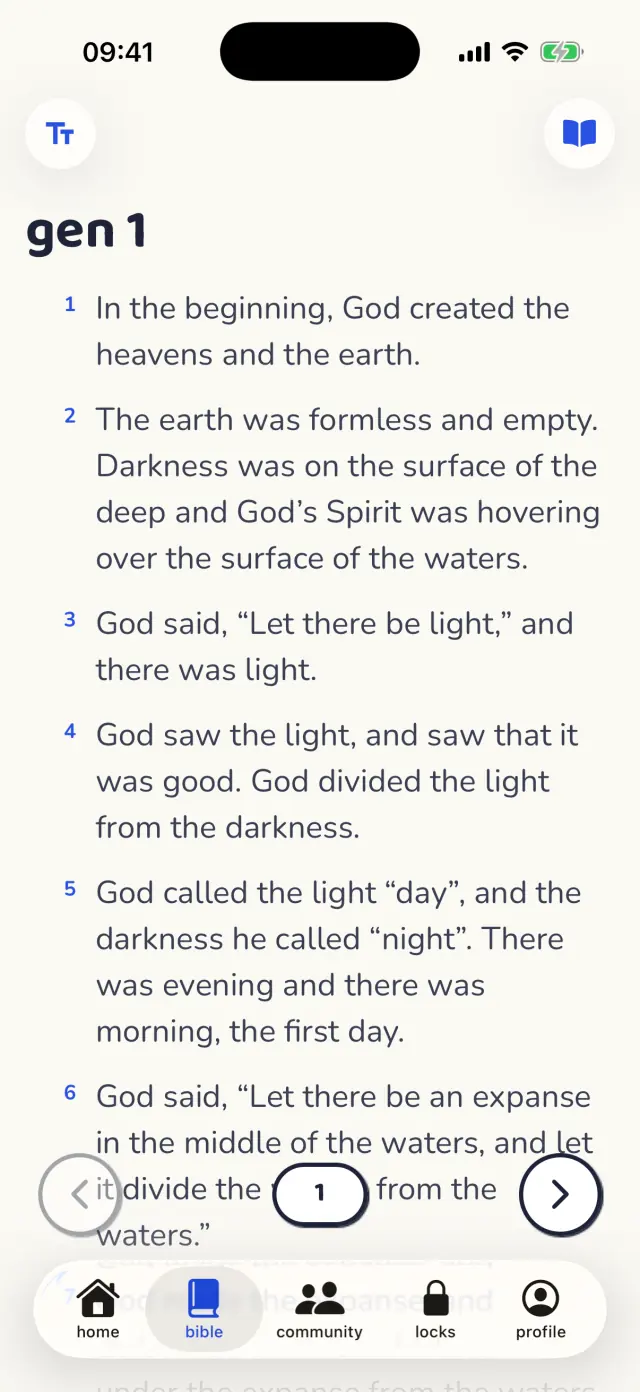
The whole Bible, built for reading.
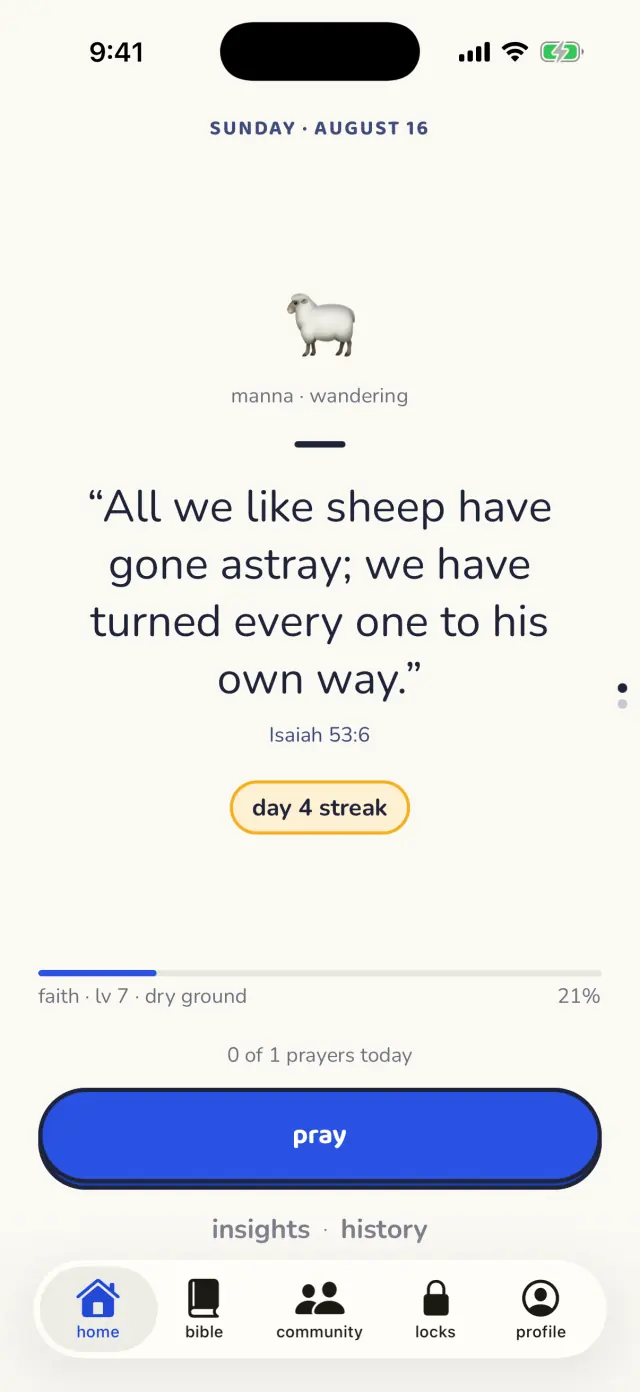
A verse and a streak, every morning.
What you get
A prayer that fits the day
Tell it how you are doing and it writes you a prayer for that — grief, gratitude, anxiety, a hard conversation coming. Choose your denomination during setup and the language follows it.
The whole Bible, built for reading
Multiple translations, search across every verse, highlights, notes and cross-references. Your place is kept and your progress is tracked.
A verse every morning
A daily devotional verse finds you whether or not you open the app, and waits on your home screen and lock screen as a widget.
Pray with other people
A prayer wall where you can ask for prayer and pray for someone by name, and live rooms for when you do not want to be alone with it. Every language has its own room.
Watch it add up
A streak for the days you showed up and a record of the hours you took back — not to gamify your faith, but to show you it is happening on the mornings it does not feel like it.
Nine languages
The whole app, the prayers and the community are translated — English, Spanish, Portuguese, French, German, Italian, Russian, Korean and Filipino.
Questions
Is Bible Shield a real app blocker?
Yes. On iPhone it uses Apple's Screen Time framework — the same system a parent uses — so blocked apps genuinely will not open until you pray. Deleting Bible Shield is the only way around it, and that is a decision you have to make on purpose.
Does it work on Android?
Not yet. Bible Shield is on the App Store for iPhone and iPad, and the Android version is still being built. It will bring the Bible, the prayers, the daily verse and the community; app blocking stays iPhone-only, because Android has no equivalent of Screen Time that an app can hold.
What does it cost?
Downloading it and praying every day is free. Premium unlocks unlimited guided prayers and the full library, with a 3-day free trial and weekly or yearly billing in your own currency.
Do I have to be a particular denomination?
No. You choose your tradition during setup — Catholic, Orthodox, Protestant and more — and the prayers follow the language and posture of it. Every prayer arrives with scripture either way.
Is my prayer history private?
Your prayers, notes and highlights are yours. Nothing you pray is posted anywhere, the community is a separate place you choose to enter, and you can delete your account and everything in it from inside the app or from this website.
Will this actually help my phone addiction?
It is not about using your phone less for its own sake. Every block ends in a minute with God instead of a minute of scrolling, and the point is what you do with the minute you just got back.
Take the evening back
Choose your apps. Choose your times. Pray to unlock.